Rise of Kingdoms is a free-to-play strategy game built around a single persistent city, a roster of historical commanders, and alliances that fight together on a shared kingdom map. This guide explains what a new governor actually needs to understand in the first days: how civilizations and commanders work, how your city and alliance fit together, what Kingdom vs Kingdom (KvK) is, and how to play on a PC instead of a phone.
- Pick a civilization at the start. According to Lilith's own Google Play listing, the game currently offers 15 civilizations, each with its own starting bonuses, unique troop or building, and a signature commander.
- Play on PC through Lilith's own Windows client, available from the official site, not through Steam; Rise of Kingdoms has no Steam release.
- Join an active alliance early. Alliance members share territory, gifts, and technology, and alliances are the basic unit of every large-scale fight, including KvK.
- Grow your city hall steadily. Higher city hall levels unlock more buildings, troops and, eventually, access to Kingdom vs Kingdom.
- Don't rush into KvK. It is a long, alliance-organized war between kingdoms, not something a solo new player should try to influence alone.
What Rise of Kingdoms is
Rise of Kingdoms launched on iOS and Android on May 24, 2018, developed by the Chinese studio Lilith Games, according to Wikipedia. It is a real-time strategy title where every player manages one city on a large, persistent map shared with hundreds of other governors, rather than isolated one-on-one matches.
The core loop is the same across the whole game: build up your city and economy, recruit and train commanders, grow your army, and use that strength both to fight AI "barbarians" for early rewards and to interact, peacefully or otherwise, with other players' cities on the map.
The game is free to download and play, with optional purchases for convenience items and cosmetics; Lilith does not require payment to reach the game's main systems.
Playing on PC instead of mobile
Because this is a PC-focused guide, the platform question matters. Rise of Kingdoms is not on Steam. Instead, Lilith Games publishes its own dedicated PC client for Windows, downloadable from the official Rise of Kingdoms site, and a separate build for Mac through the Mac App Store. Wikipedia's entry on the game notes that these native Windows and macOS clients launched on April 6, 2022, well after the original 2018 mobile release.
The PC client uses the same account and the same server as the mobile app, so progress carries over if you log in with the same account on both. For a strategy game with a lot of screen reading (troop counts, building queues, map coordinates), the larger PC screen and mouse controls are a real usability upgrade over a phone, even though the underlying game is identical.
Choosing a civilization and your first commander
When you start, you choose one of the game's civilizations. Per Lilith's official Google Play description, the roster spans historical cultures such as China, Rome, Germany, Japan, Korea, the Ottomans, the Vikings and more, and each civilization comes with its own architecture style, a unique unit or building, and passive bonuses that shape how that city plays.
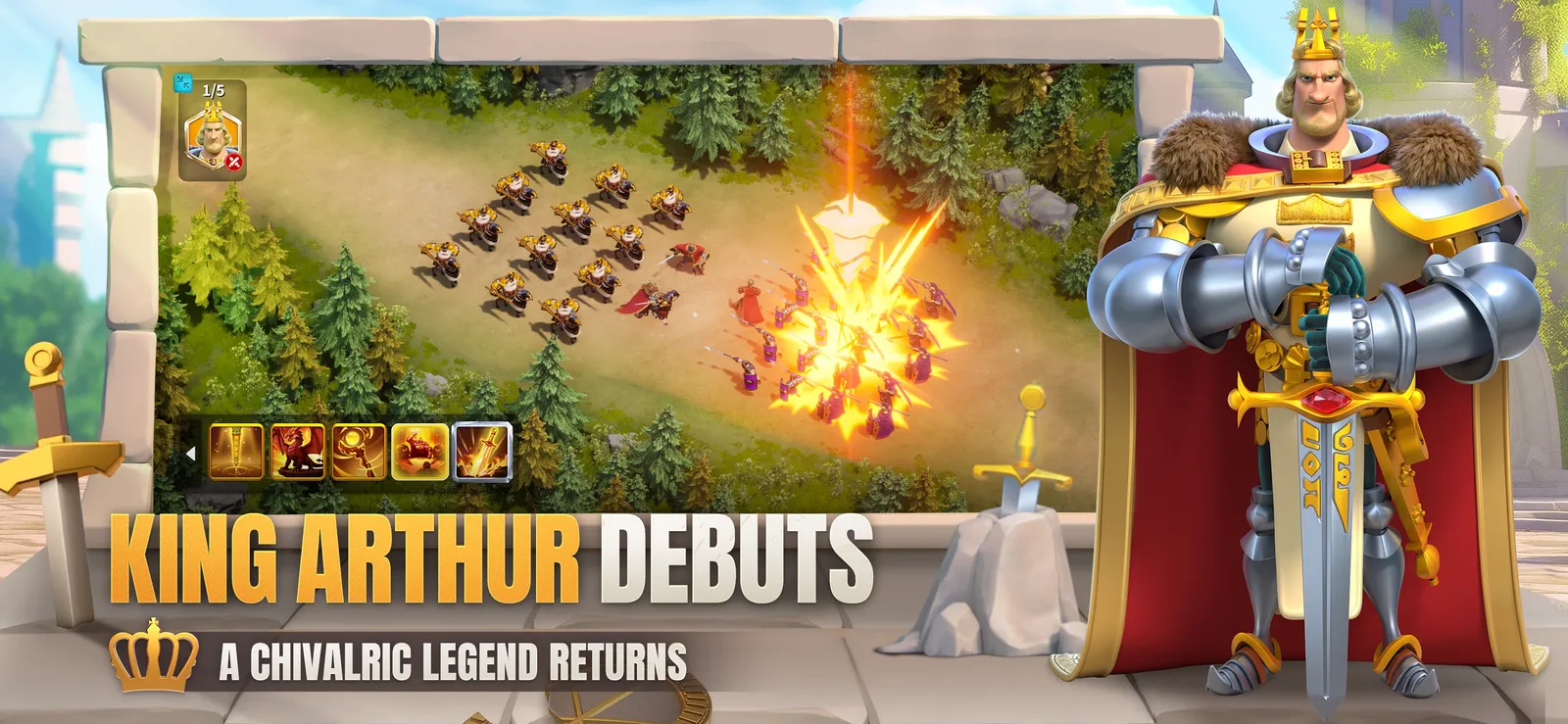
Alongside your civilization, you begin recruiting commanders: named historical figures such as Julius Caesar, Sun Tzu, Joan of Arc or Kusunoki Masashige, per the same official listing. Commanders lead your troops in battle, gain experience from fighting AI barbarians and other targets, and are improved through a skill and talent system similar to an RPG character sheet. You can also split your forces across multiple commanders to act on several tasks or fights at once, which is one of the game's core strategic tools.
There is no single "correct" civilization or commander for every player, and this guide will not rank them, since any such ranking goes stale as Lilith rebalances the game. What matters for a beginner is understanding that the choice affects your playstyle, not that you need to chase whatever is currently considered strongest.
Building your city and alliance
Your city is built around a City Hall, whose level gates almost everything else: which buildings you can construct, which technologies you can research at the Academy, and eventually your access to end-game modes. Wikipedia's overview of the game describes this loop of city construction, technology research, commander recruitment and resource gathering as the backbone of regular play, alongside real-time combat against other players.
Joining an alliance is one of the first meaningful decisions after your city is running. Alliances let members help build each other's structures, share gifts and resources, contribute to shared alliance technology, and coordinate territory on the kingdom map. Later, when you reach large-scale content like Kingdom vs Kingdom, alliances (not individual players) are the units that actually fight and hold ground, according to Pocket Gamer's overview of that mode. A new player without an alliance misses out on most of this support.
Understanding Kingdom vs Kingdom (KvK)
Kingdom vs Kingdom is the game's flagship late-game mode, and it is worth understanding early even if you won't take part for a while. Based on Pocket Gamer's explanation of the mode, KvK requires a City Hall of at least level 16 and is unlocked by completing an in-game event called "Eve of Crusade," which grants access to a separate map called the Lost Kingdom.
Inside the Lost Kingdom, alliances push from the edges of the map toward the center, aiming to eventually contest an area called the Lost Ziggurat. The mode runs in numbered stages, referred to as KvK1, KvK2, KvK3 and a later stage called the Season of Conquest, with breaks between them so players can return to normal city-building and events on their home server.
Rewards for strong KvK performance go beyond bragging rights: Pocket Gamer notes that some past KvK seasons have offered exclusive commanders, such as Charlemagne and Wu Zetian, as prizes. The key point for a beginner is that KvK is organized and fought at the alliance level, so the best way to prepare for it is not personal grinding alone, but finding an alliance that actually competes and following its coordination.
Common mistakes to avoid
- Playing without an alliance. You lose access to shared building help, gifts, and any real chance at group content like KvK.
- Ignoring your civilization's bonuses. Each civilization plays differently, and building or researching without checking what your civilization boosts wastes efficiency.
- Neglecting the Academy. Technology research affects troop stats, resource output and city capabilities, and it runs in the background whether or not you remember to queue it.
- Chasing "best" commanders from outside rankings. Lilith periodically rebalances commanders and adds new ones, so treat any tier list, including this guide's absence of one, as temporary information, not a fixed answer.
- Jumping into KvK alone. Without an organized alliance behind you, individual participation in Kingdom vs Kingdom achieves very little.
Where to go next
Once your City Hall is growing steadily and you have joined an alliance, the next things worth learning are how alliance territory and forts work on the kingdom map, how commander pairings change depending on whether you are farming barbarians, defending your city, or fighting other players, and how the Academy's technology tree prioritizes economy versus military research. Lilith's official site and its in-game event announcements are the most reliable places to track new civilizations, commanders or systems as they are added, since the game continues to receive regular content updates.